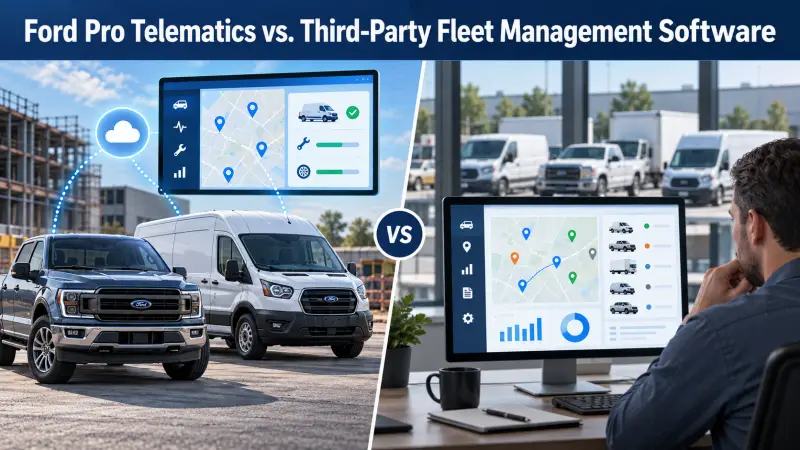
Ford Pro Telematics vs. Third-Party Fleet Management Software
Connected vehicle data can help a fleet manager act sooner, but the right platform depends on the vehicles, the tasks your team performs and the systems you already use.
What Do You Need the Software to Help You Decide?
A map is useful, but fleet management also depends on maintenance, utilization, costs, driver behavior and replacement decisions.
List the decisions your team makes each week: which vehicle is available, which one needs service, which driver needs coaching, which truck is underused and which unit should be replaced. Then compare software based on those questions rather than a long feature list.
Ford Pro Telematics uses connected vehicle data to provide fleet visibility and alerts on compatible vehicles. Ford Pro also offers Fleet Management Software for administrative records, work orders, expenses and reporting. Features and subscriptions vary; ask for a demonstration using your actual vehicles and tasks.
Define your reporting needs
- Vehicle health and maintenance alerts
- Location and trip information
- Utilization and idle time
- Driver safety trends
- Fuel or energy use
- Cost per vehicle and replacement signals
Ford-focused fleets
Built-in Ford vehicle data may reduce the need for added hardware on eligible models. Check model year, modem activation, subscription, cellular coverage and the data fields available to your fleet.
Mixed-brand fleets
A third-party system may present several makes in one view. Ford Pro Data Services can also provide Ford data to participating third-party platforms. Confirm integration, data ownership and compatibility in writing.
Managed operations
Some providers combine software with people who review alerts, contact drivers or coordinate repairs. Decide whether you are buying data, administrative help or both.
Run the Same Real Scenario in Each System
Choose a common problem, such as a service truck with a maintenance warning during a busy week. Ask each vendor to show how the alert arrives, who sees it, how work is scheduled, how the driver is notified and where the final cost appears. Repeat with an underused vehicle and a replacement decision.
Ask how data can be exported if you change software, what happens when a vehicle is sold, and how user access is managed. Compare the subscription and installation costs per vehicle, including any added hardware or integration charges.
Use What You Learn for the Next Ford Order
Telematics can reveal annual mileage, cargo or towing patterns, downtime and utilization. That evidence should inform the next Ford vehicle selection, upfit and replacement schedule. A dashboard only helps if someone acts on the information.
Read the broader Ford Pro versus fleet leasing companies comparison if software is part of a larger outsourced management proposal.
Compare Coverage and Responsibility
Vehicle coverage
Which Ford and non-Ford vehicles can connect, and which features are available on each?
Data and integrations
Can the system share data with dispatch, maintenance, accounting or an existing fleet platform?
Action after an alert
Who investigates a warning, schedules service and confirms the vehicle is ready to work again?
A Ford Service Fleet With One Outside Platform
Suppose a contractor already uses a third-party dispatch platform and has fifteen Ford service vehicles plus several non-Ford units. Before replacing its software, the fleet lead should ask whether Ford Pro vehicle data can feed the existing system, which fields are available, and whether drivers would have to use another app.
Run a limited demonstration with representative vehicles. Check whether location, diagnostic alerts, mileage and maintenance information arrive reliably; whether the data is timely enough for dispatch or service decisions; and whether the team can act on it without copying information between systems. This may reveal that an integration is more useful than a complete software change.
Make Data Useful and Accountable
Set a review rhythm for alerts and reports. Decide who can see driver information, who documents coaching, who schedules repairs and who corrects bad data. Ask vendors about retention, exports, user roles and how data access ends if you cancel a subscription.
For your next Ford order, bring operating evidence back to the vehicle planning conversation. A route pattern, recurring payload need or repeated downtime issue may change the model or upfit you choose.
Build the Vehicle Plan First
We help businesses choose and order Ford trucks and vans around the work they need to perform. Review the vehicle, upfit, acquisition method and future replacement together.
Sources: Ford Pro Intelligence and Data Services, Ford Pro Fleet Management Software, and Wheels telematics overview. Verify current vehicle compatibility, data availability and subscription terms. FleetOrdering.com is an independent informational and Ford vehicle ordering resource; it is not Ford Motor Company.